Day 13
October 1, 2026
First real playtest (and everything it turned up)
We came back after a long quiet stretch and started with a full review of the project. The first
thing to come out of it was the engine, specifically how it handles input and state when things
don't happen in the ideal order. If you cancelled a walk by clicking the floor, the object you were
heading to still reacted as if you'd arrived. If the character got stuck against something, input
stayed locked forever. A scene change in the middle of a cutscene or a line of dialogue could leave
the new room ignoring clicks. And there was more: nested cutscenes stepping on each other, items that
came back when you re-entered a room, two scene changes in a row fighting over their fades, and
zones that fired at the spawn point after loading a save instead of waiting for the character to be
where you saved.
All of that is fixed and covered by a new test, input_robustness, which failed seven or
more checks on the old code and now passes 14 out of 14. While we were at it we hardened the Asset
Forge server: it rejects requests coming from other pages, validates names so a ../..
can't delete folders it has no business touching, and asks for a token if you open it on the local
network. Yes, it's local. Still.
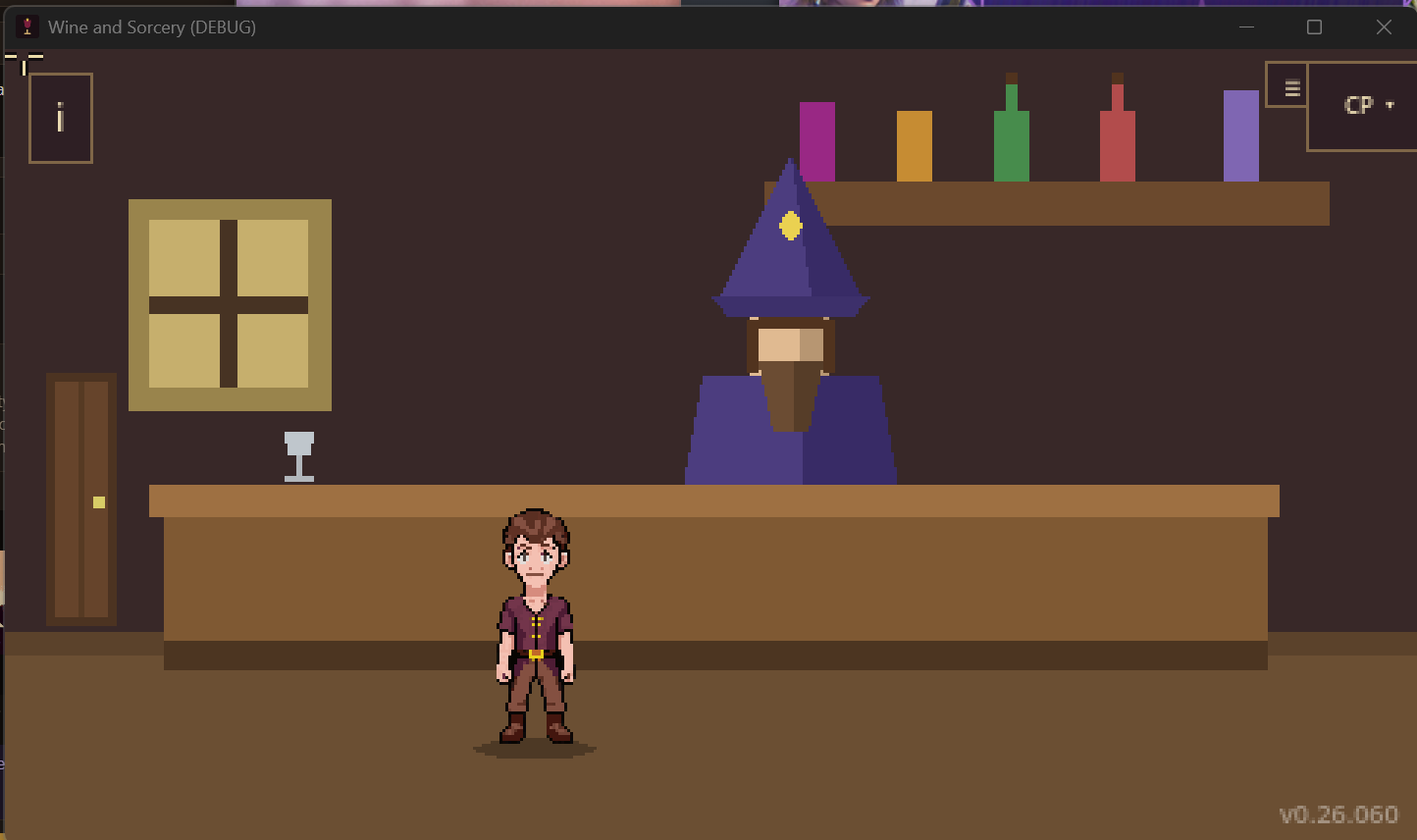
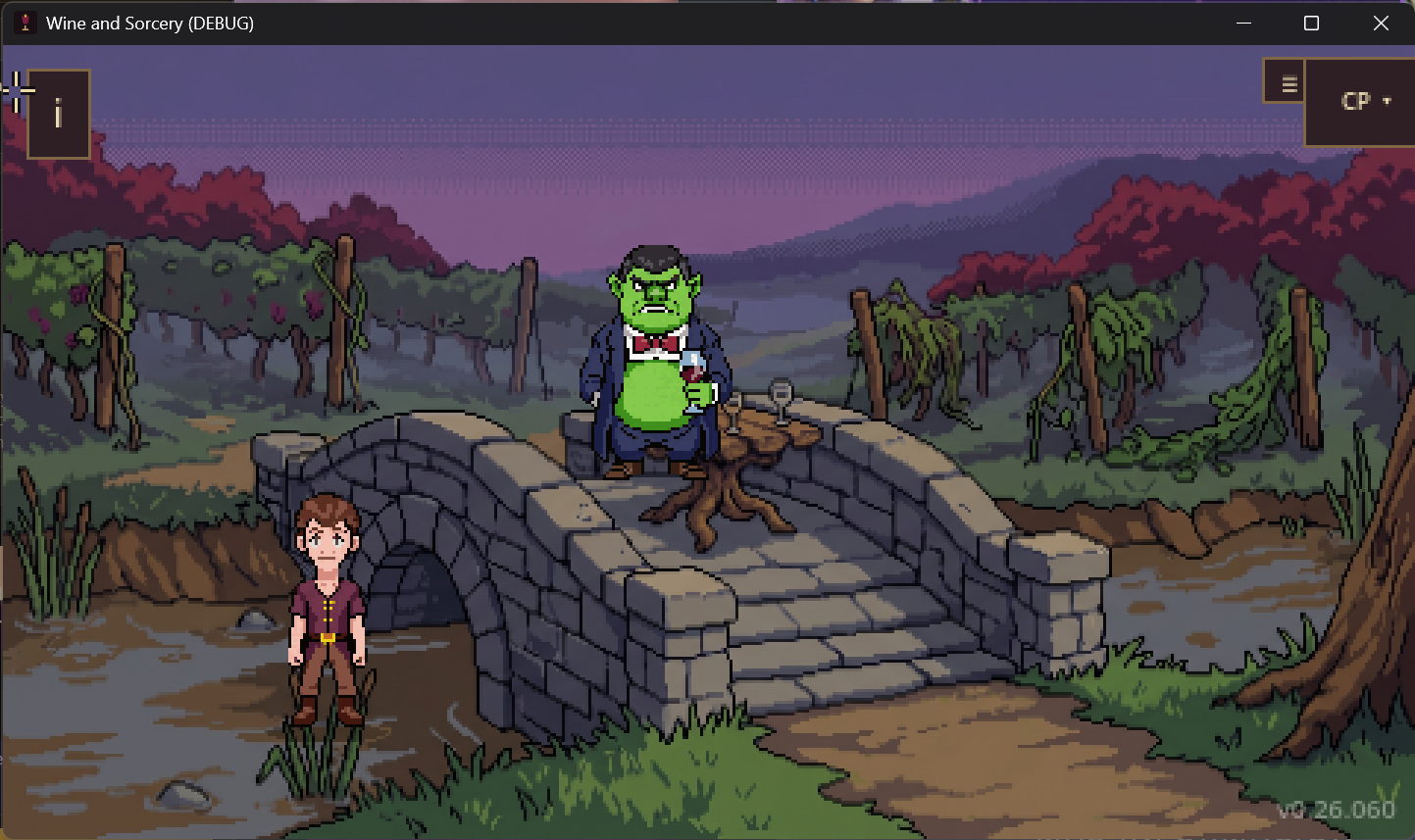
Then we played Chapter 1 in the web build, as far as it goes today (it has no ending yet), the way someone from outside would. The
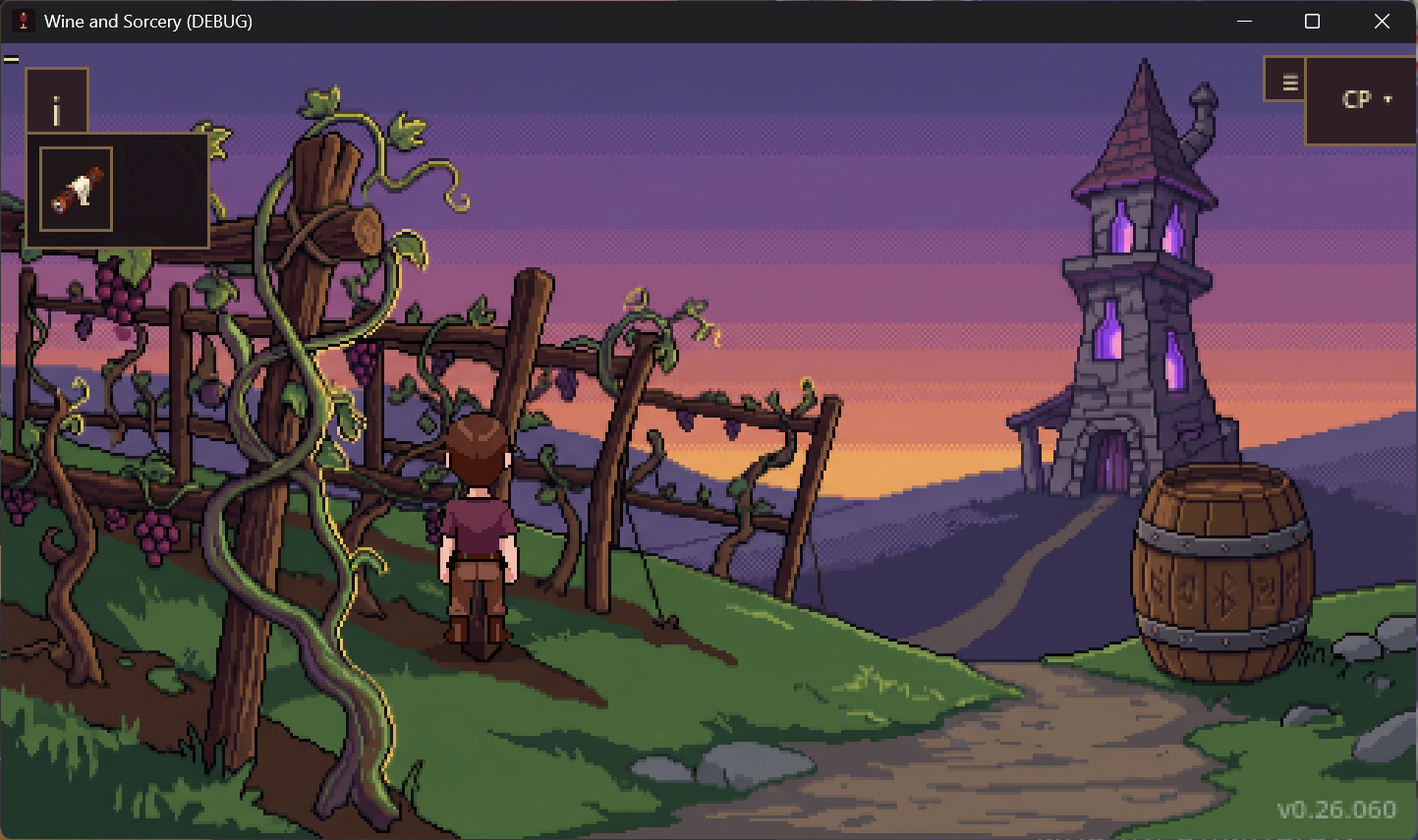
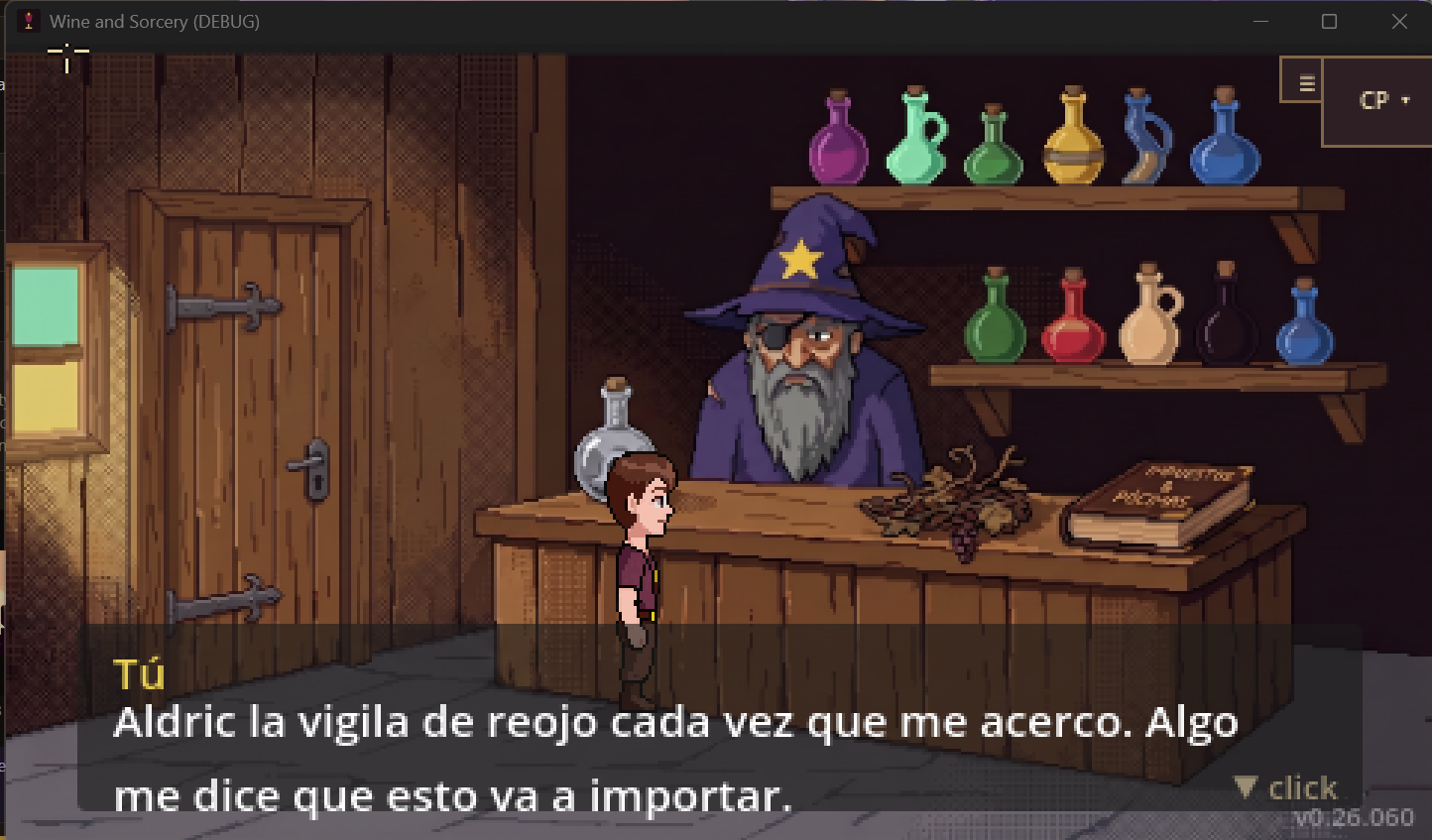
most obvious problem: the hero was child-sized, about 75 pixels tall next to a 150-pixel door and a
110-pixel Aldric. We brought him up to adult size room by room. Several hotspots weren't sitting on
their art (the vineyard barrel was over empty grass), the character could stand on top of the hut's
counter or inside the barrel, and some placeholder shapes were still around even though we already
had sprites for them. On the web there are also no system fallback fonts, so several menu symbols
showed up as empty boxes. And picking up an item gave no visible sign at all.
We also wrote down a scope decision: Chapter 1 ships on its own, with a "coming soon" at the end.
Shipped
- Sturdier engine: cancelled or stuck walks, loads, cutscenes and transitions no longer hang the game
- A new regression test for all of it (14/14)
- Asset Forge server hardened (cross-page requests, paths, token on the local network)
- Chapter 1: adult-sized hero, hotspots on their art, real sprites instead of shapes
- Web UI without empty boxes, a "+ item" notice on pickup, and the chapter title card in Spanish
Day 12
July 25 – August 22, 2026
A quiet stretch: two ideas and a link
Weeks with little going on in the repo. In July we added two ideas to the backlog. The first is
Winemaker's Sight: the protagonist doesn't drink, but he can "read" wine and see
hidden auras in a scene, reusing a magic-glow shader we already had with no gameplay purpose yet. The
second is making helping or scaring off the rival actually matter later on, since today it changes
nothing. Ideas, not promises: the backlog commits us to nothing.
In August, the devlog and the stack page started linking to javiercaruso.com, and we wrote down how
the site gets published and how Spanish/English works (two parallel folders, everything gets written
twice).
Shipped
- Two new backlog ideas: Winemaker's Sight and a rival with consequences
- Link to javiercaruso.com on the devlog and stack pages (ES/EN)
- Documented how the site deploys and how the two languages work
Day 11
July 1–5, 2026
A review and the Story Master
We stopped to look at the whole project. On July 1 we wrote a full review (engine, tools, content)
that ended in a four-sprint backlog: the Story Master, design decisions, engine work and quick wins.
One adjustment came out of it: the unified backlog isn't one more file to maintain by hand, it's a
view that gets generated from what already exists.
The Story Master is a design partner: it reads the state of the game and how far
it's built, proposes how the story could continue along with what that would cost in assets, and
keeps a record of the decisions. A first usable version shipped that same day as a command,
/story-master. On July 5 we closed Sprint A with the tooling it was missing: a command
line for editing Story Planner plans, the generated backlog (with its own tab in the Story Bible), a
check that looks for design dead ends across chapters, the Forge's list of orphaned assets, and
decisions stored with a date and a reason. In between, a note about a community plan went into the
pending list.
Shipped
- Full project review with a four-sprint backlog
/story-master v0, plus /start as the entry point- Story Planner plans editable from the command line, with validation
- Generated backlog + a tab for it in the Story Bible
- Dead-end detector across chapters
Day 10
June 30, 2026
New art lands in Chapter 1
An art day. We generated the backgrounds for the version of the story we've been working on ("B1",
a five-chapter arc) and curated ten item icons: seven for Chapter 1 (grapes, a carved cork, table
wine, moldy flour, a whisper, spectral yeast and a barrel of must) and three for Chapter 3. Nano
Banana became the official route for backgrounds.
Then we plugged it into the game. The flashback now has its real background instead of decorative
shapes, and young Aldric stopped being fourteen polygons and became a sprite. We swapped him twice in
one day: the first one overlapped the shelf, the second is narrower and fits. The necro-bakery tower
got its plate, with the cauldron's green light now lighting real art, and four items started showing
their icons. Regenerating the Story Bible flagged two items you can get but never use.
Better the tool says it than a player.
For backgrounds whose chapters don't exist yet we built six preview scenes: they load the plate and
let you walk around it, so the art can be toured inside the engine. The tower also got its own
checkpoint in the debug menu.
Shipped
- B1 story backgrounds + ten curated item icons
- Flashback and tower with their real plates in-game
- Young Aldric sprite in the flashback
- Six walkable scenes for backgrounds of chapters not yet built
Day 9
June 29, 2026
Closing out the tooling punch-list
We took the previous day's punch-list and closed it. The Story Planner and the Story Bible now live on
the same server: the planner serves the Bible at /bible, always up to date, and the
launcher opens it there when it's running.
In the planner, flags (the little markers that record what has already happened in
the story) are now nodes of their own, diamond-shaped. We added a side-by-side view comparing the
written chapter with what the plan proposes, without touching anything, and a wizard that, for each
loose node, suggests the real in-game item or character that best matches it. In the Asset Forge,
approving an image that matches a pending request now offers to mark it done. It offers: it doesn't
do it on its own.
We also wrote down that videos and social media live in a sibling repo, separate from this one, and
added Steam achievements to the idea backlog.
Shipped
- Story Bible served live from the Story Planner (
/bible)
- Flags as nodes in the planner
- Chapter-vs-plan comparison, and a wizard to link nodes to real entities
- Forge: approving an asset offers to close the matching request
Day 8
June 27–28, 2026
Walking around things (and PixelLab in the Forge)
The big one was the floor. Until now the character walked in a straight line inside a rectangle; from
here on a room can declare a shaped walkable area (an L, a T, with pillars or
furniture in the middle) and the character finds the path on his own, going around obstacles. Click
outside the floor and he heads to the nearest walkable point. Rooms that don't declare anything keep
walking the old way. We tested it with a barrel in a new test room and built an overlay that draws the
walkable area on top of the scene to tune it.
In the interface, hovering over something now shows its name. It can be turned off from the pause
menu, and in hard mode it's off, period.
The Asset Forge added PixelLab, a paid cloud service: first a panel showing the
balance, then generation itself, with a warning that it spends credit. The key stays on each machine,
never in the repo. Also a second button to approve an image "for another use", meaning "I want it, but
ask me before using it". That day we approved a PixelLab portrait of young Aldric for dialogue: no
eye patch, dark beard. On the web side: Bing verification, an author link in the footers and, on the 28th,
Google Analytics with a small cookie notice.
Shipped
- Shaped walkable areas and pathfinding around obstacles
- Object name on hover (can be turned off, off in hard mode)
- PixelLab in the Asset Forge: balance and generation
- Young Aldric portrait for dialogue
- Analytics + cookie notice on the site
Day 7
June 27, 2026
Visual Effects (FX) and Playtest Pipeline
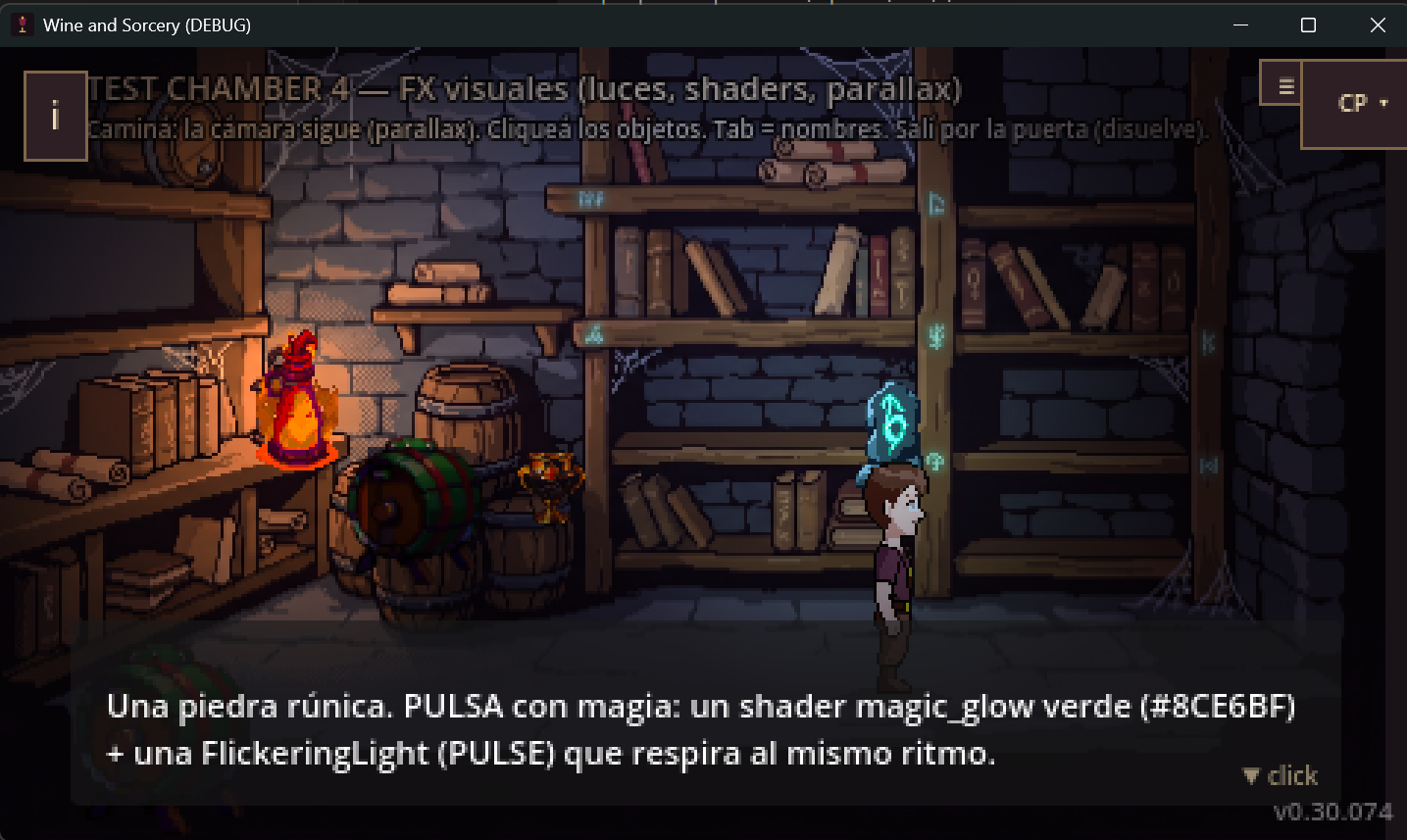
We dedicated the day to polishing the visual layer and smoothing out our development experience. We implemented and validated a complete FX system in Test Chamber 4: we now have dedicated shaders (like magic_glow, wine_ripple and heat_haze) working in perfect sync with dynamic lights (FlickeringLight).
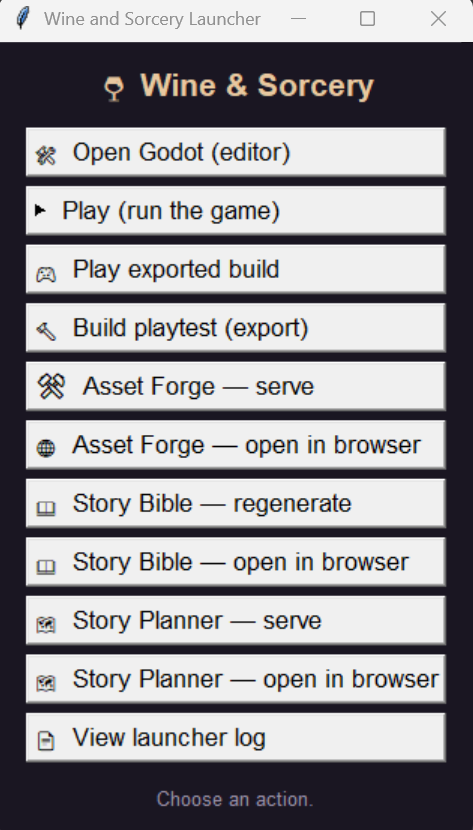
On the other hand, we fixed the compilation pipeline for Windows. We adjusted Godot's path resolution and now our Launcher automatically compiles and runs the latest exported build (playtest) instead of the source code. It's one click away from testing the final version.
Shipped
- Interactive visual FX system (flickering lights and magic shaders)
- Repaired and automated playtest export pipeline
- The Windows Launcher now points directly to the compiled build
Day 6
June 24, 2026
Dual-Core AI Engine and Prototyping
The bombshell of the day was setting up our new Dual-Core Artificial Intelligence engine. We built a structure in
.agents/ so that Google Antigravity (Gemini) and Claude Opus can peacefully coexist in the same repository, sharing the CLAUDE.md context.
We split the "wallets": we delegated the massive context and daily tasks to Gemini 3.1 Pro and Sonnet 4.6, reserving the precious Opus 4.8 quota strictly for fine architectural surgery.
Additionally, we brought Gemini on board as our official Concept Artist with the prototype-artist skill, generating Background Plates and Sprites natively in the editor without spending Claude's tokens. Brutal efficiency.
Shipped
- Dual-Core engine: Gemini and Claude Opus running in parallel without stepping on each other
- Native rapid prototyping with the
prototype-artist skill
- Strategic "wallet" division to optimize quotas
Day 5
June 23, 2026
The Story Planner and Authoring Pipeline
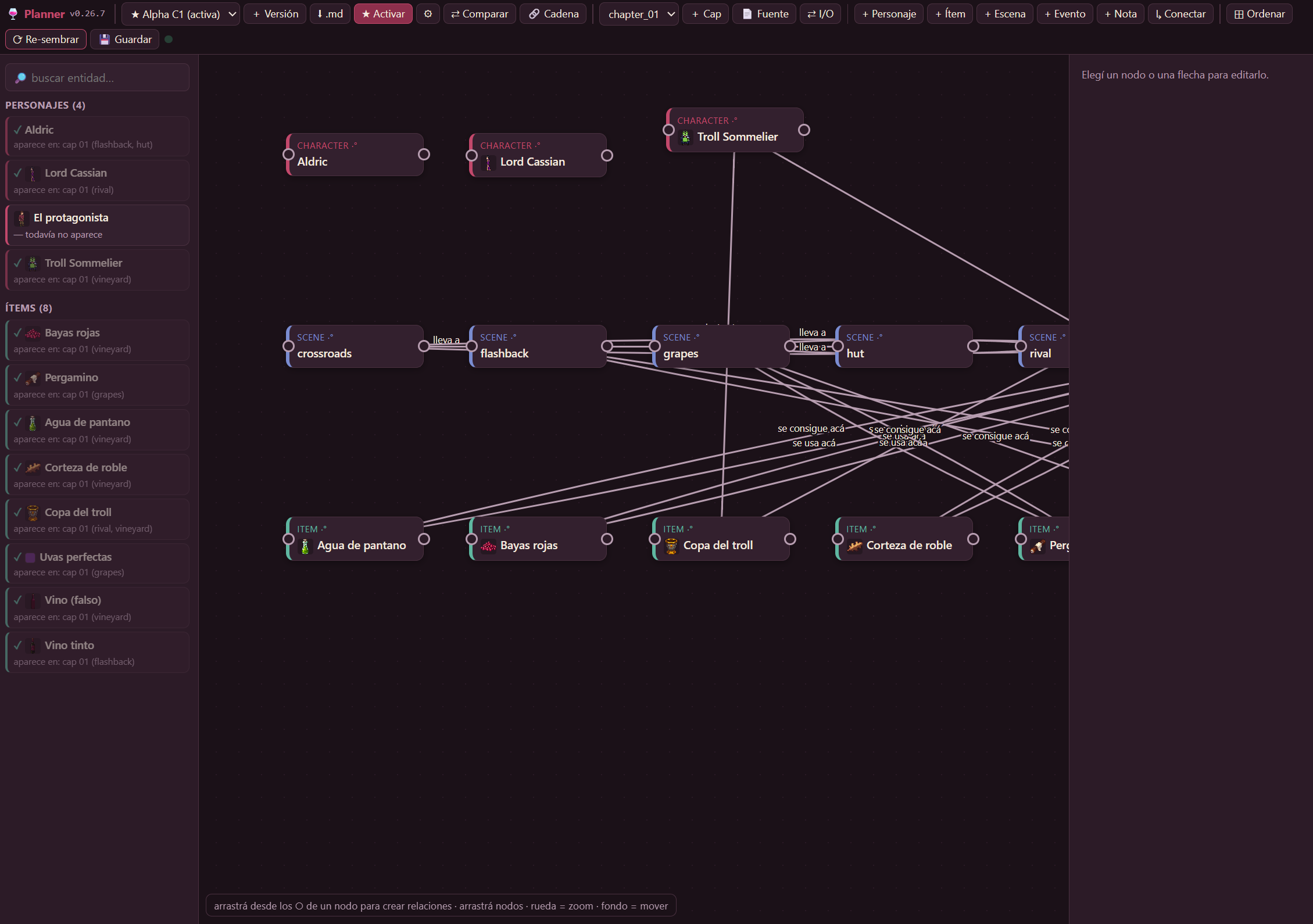
Day of heavily maturing our internal tools. The v0.26.5 of the Story Planner was an absolute revolution:
it now supports entire parallel story versions to test ideas. We added visual diffs
(colored rings for new or changed nodes), the option to link "draft" nodes to real engine items to avoid duplicating data, and drag-to-connect ports to link nodes super fast.
With all that power, we locked down the definitive authoring pipeline: Story Planner → chapter-smith →
asset-generator → Story Bible. Everything flows in a single direction, and we added a "Flow" tab to the Story Bible so the process never again relies on human memory.
Shipped
- Parallel story versions in the Story Planner + Visual diffs
- Linking draft nodes to real engine entities
- Drag-to-connect UI and multi-relationship fan-out
- Formalized authoring pipeline in the Story Bible
Day 4
June 21, 2026
Polish, signed deploy and the Asset Forge
Tooling day. On the macOS side, we set up the deployment of a signed and notarized .app with Developer ID (with all its quirks documented so we don't suffer them again). UI polish: inventory icons are 25% larger and the examine magnifying glass is fixed for items using sprites.
A whole layer of local image editing went in: a guide, a tool to edit "by instruction" (FLUX Kontext), and another to erase background elements and inpaint (IOPaint/LaMa). With that, we manually cleaned up the empty hut background plate.
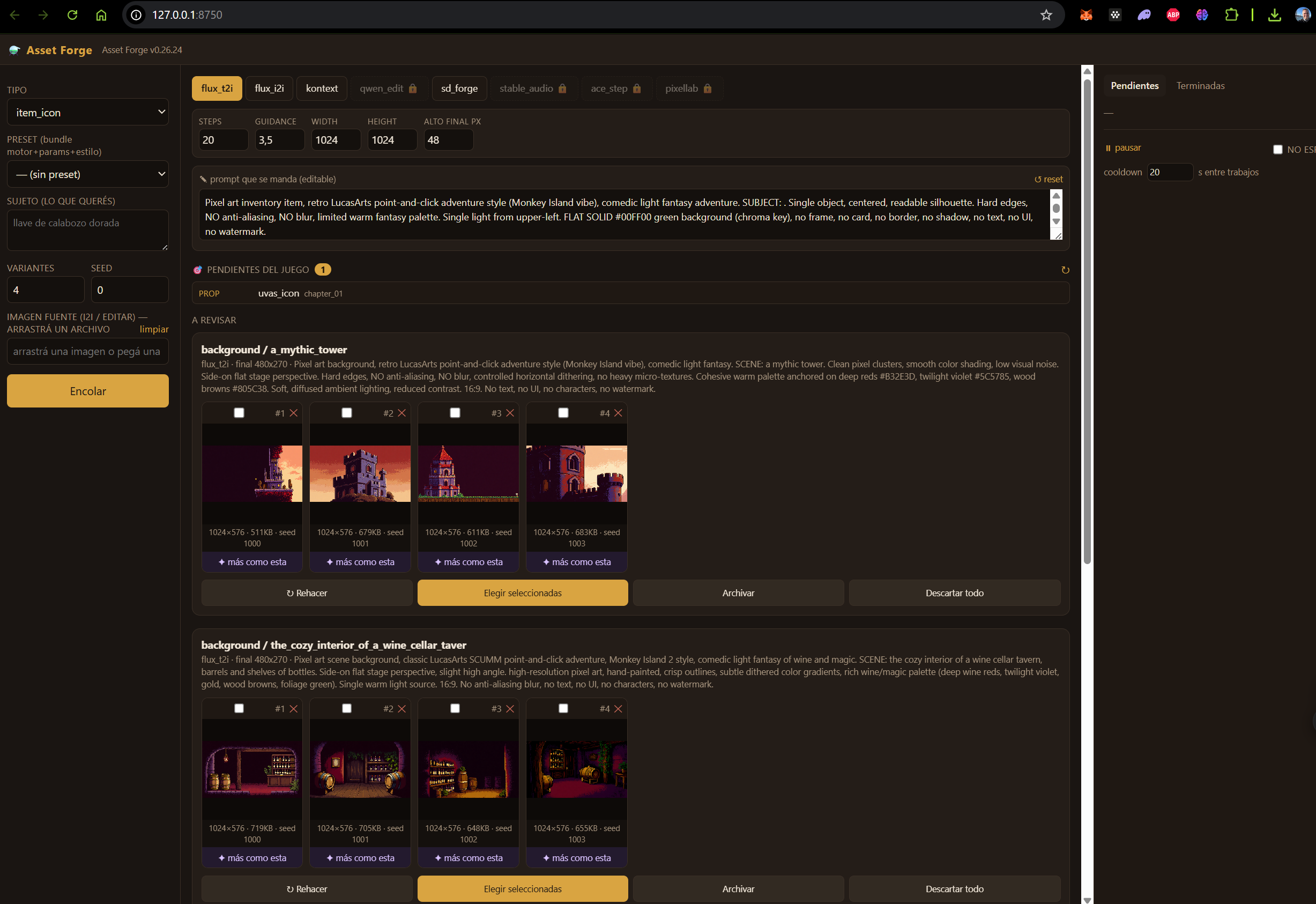
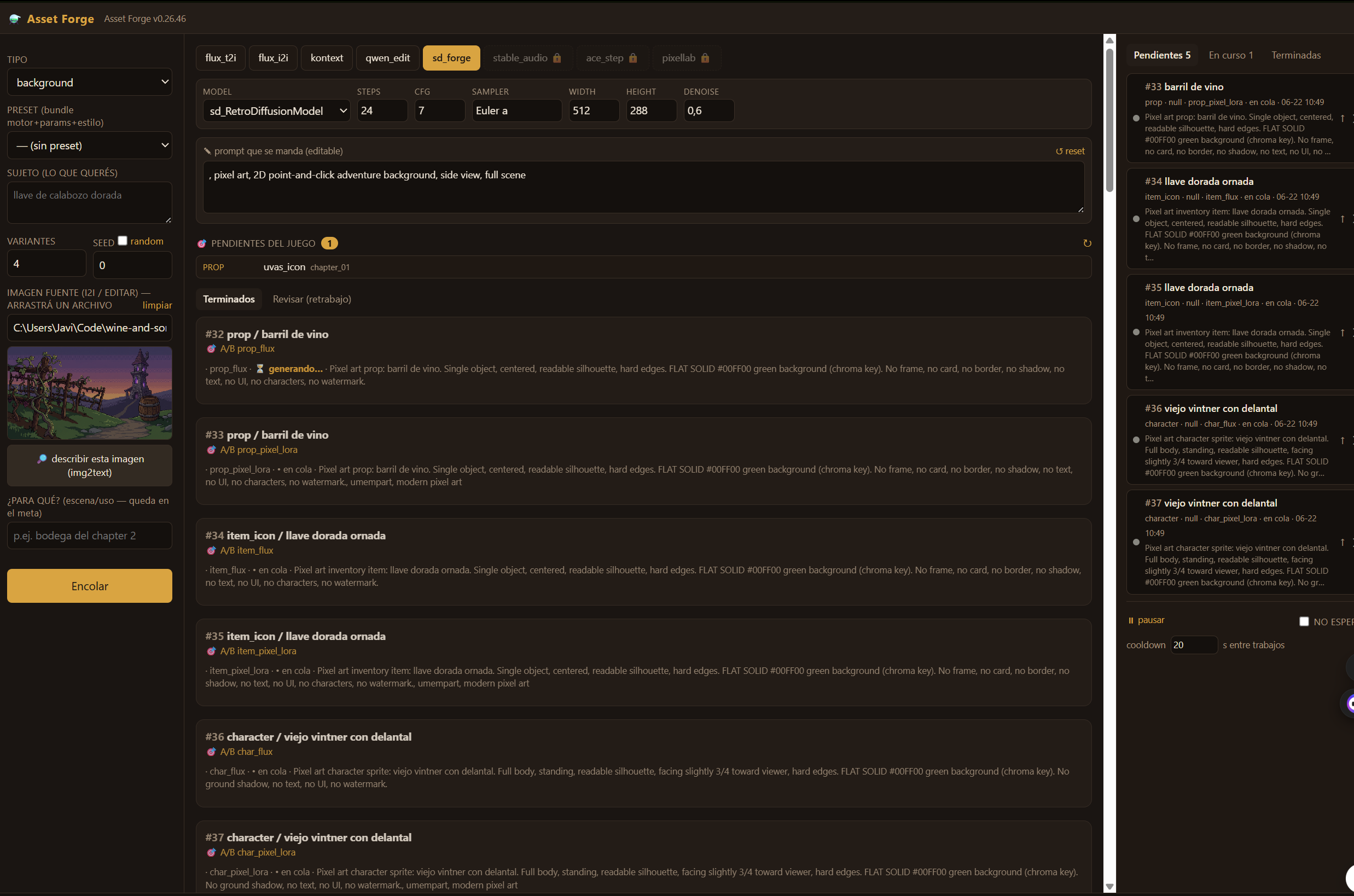
And the big one for the day: the Asset Forge, a self-serve tool to generate assets without relying on Claude — a three-column web interface, asynchronous queue, per-engine parameters, fine curation, and multiple engines (retro SD Forge by default, Flux, Kontext). v1 came out in the morning and we polished it up to v0.26.10 on the same day. To be continued…
Shipped
- Signed + notarized macOS deploy
- Larger inventory icons + magnifying glass fix
- Local image editing (instruct-based editing + erase/inpaint)
- The Asset Forge: self-serve asset generator with web UI and queue
Day 3
June 20, 2026
Playable everywhere (and with sound)
Day of opening the game to the world. We added touch / iPad support: touch mode, examining with a magnifying glass by tapping each icon, a button to drop items, and a configurable crosshair cursor. And localization (i18n): Spanish base plus English, with Chapter 1 already fully translated.
Audio also made it in, all generated locally through the pipeline: sound effects via Stable Audio Open and background music via ACE-Step, each with its autoload and buses. It became a hard rule of the project: never generate art or audio "by hand", always through the pipeline, which already has all the stumbling blocks ironed out.

The star of the day was the Story Bible: a tool that generates a navigable HTML with the script, characters, items, art prompts, red flags, and the scene map. We iterated on it a ton (from v1 to v2.6). And on the narrative side, we set the content policy: the protagonist makes and sells wine, but does not drink — in the tutorial, he passes the glass to Aldric. We wrapped up with an iOS device deploy.
Shipped
- Touch / iPad support (touch mode, magnifying glass, drop items, crosshair cursor)
- ES + EN localization, with Chapter 1 translated
- Local audio: SFX (Stable Audio) and music (ACE-Step) with their buses
- The Story Bible (script + characters + art + navigable map)
- Content policy + iOS deploy
Day 2
June 19, 2026
From "game" to "engine"
The theme of the day was to stop hardcoding content and start treating this as an engine where content is data. Objects became declarative, dialogue lines are conditioned by flags, and we started writing chapters as markdown that is then reconciled with the Godot scene. To avoid breaking anything along the way, we set up a headless QA robot and CI that runs the scenarios on every push.
We packed in a ton of quality of life features: pause menu with save slots, options (fullscreen, volume, text speed), a cursor that changes when hovering, "use item on target", combine, autosave, and even a developer console. And a sprint of "professional" adventure features: typewriter dialogue effect, floating comments, letterbox cinematic mode, perspective scaling, close-up item examination, screen shake, branching dialogue trees, per-room ambient tinting, and panning camera.
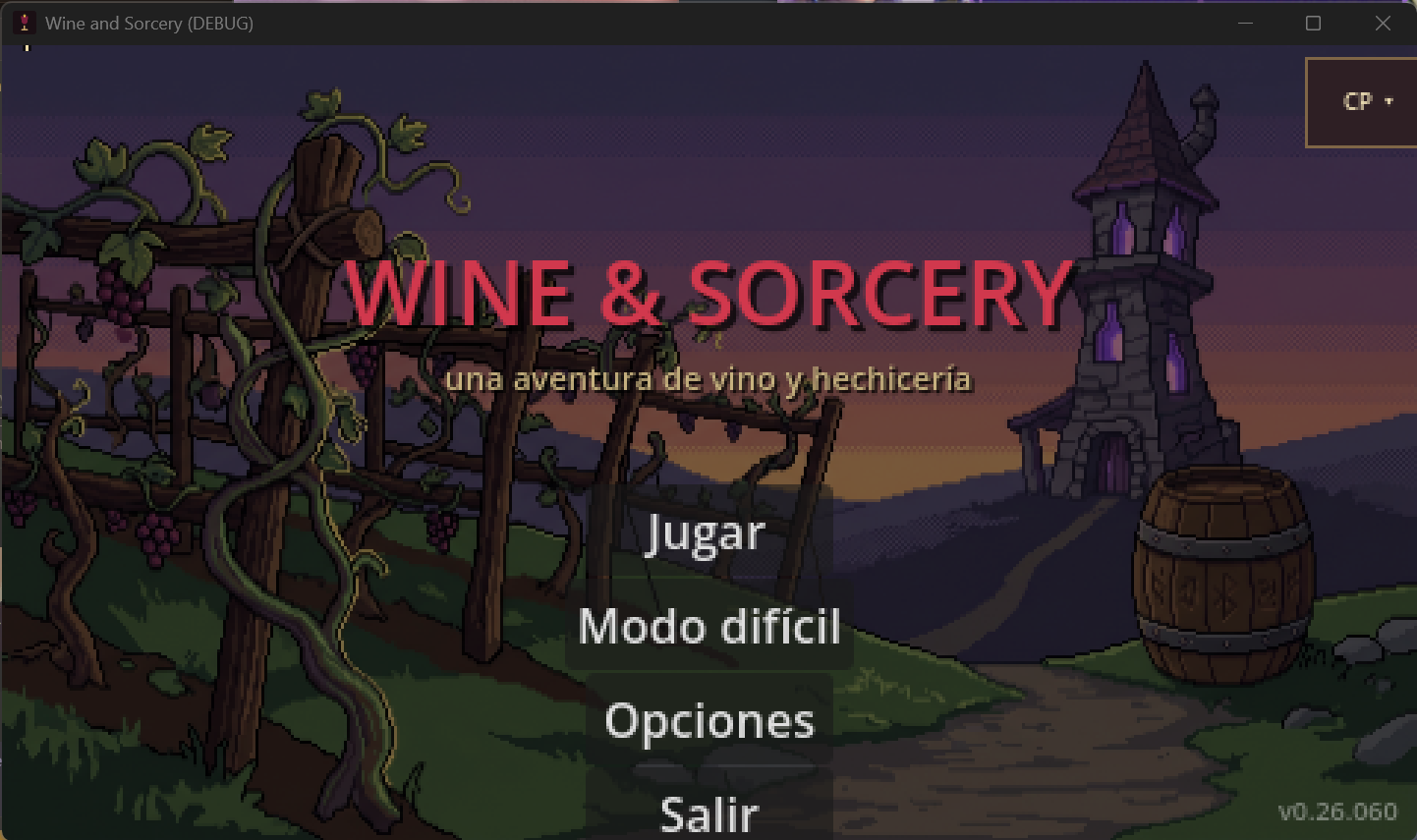
On the content side, the rival puzzle, the vineyard scene, and the grapes scene made it in, plus the real crossroads background and ambient FX (a wind shader and firefly particles). And the website was born this page lives here: the landing page, the /demo structure, and the deployment guide.
Shipped
- Declarative objects + chapters as reconcilable markdown
- Headless QA + CI on every push
- Pause, save slots, options, combine, autosave, dev console
- Typewriter dialogue, cinematic mode, dialogue trees, camera, and tints
- The website and the demo structure
Day 1
June 18, 2026
Repo is born (and we picked an engine)
It all started. The idea on the table: a retro point-and-click graphic adventure, in the vein of Monkey Island, but about wine and magic. The first big decision: the engine. We tested a bit and settled on Godot 4 (standard build, GDScript — no C#, because the web export doesn't support it well and the web is the main storefront). While at it, we locked the base resolution at 480×270, the sweet spot for pixel art that scales perfectly to 1080p and 4K.
With that decided, on the same day we built the skeleton of the "engine": walk to where you click, interactable objects, rooms, and dialogue box. On top of that, we wrote the intro gag for Chapter 1, with its dialogue sequences, the title card ("CHAPTER ONE"), fade transitions, and a flashback to the first memory.
The save and load system also made it in (with quick save/load for debugging) and rooms governed by flags so the game state truly persists. We added the intro menu, the icon-based inventory, and the crossroads. And art kicked off: style guide, image import pipeline, and the first real pixel-art backgrounds, with the hero already walking animated in four directions and the Sommelier Troll scene with his first fake-wine puzzle.
Shipped
- Base point-and-click engine: walk-to-click, interactables, rooms, dialogues
- Chapter 1 intro: gag, flashback, title card, and transitions
- Save/load + flag-based state
- Art pipeline + first backgrounds, animated hero, and the Troll with his puzzle